



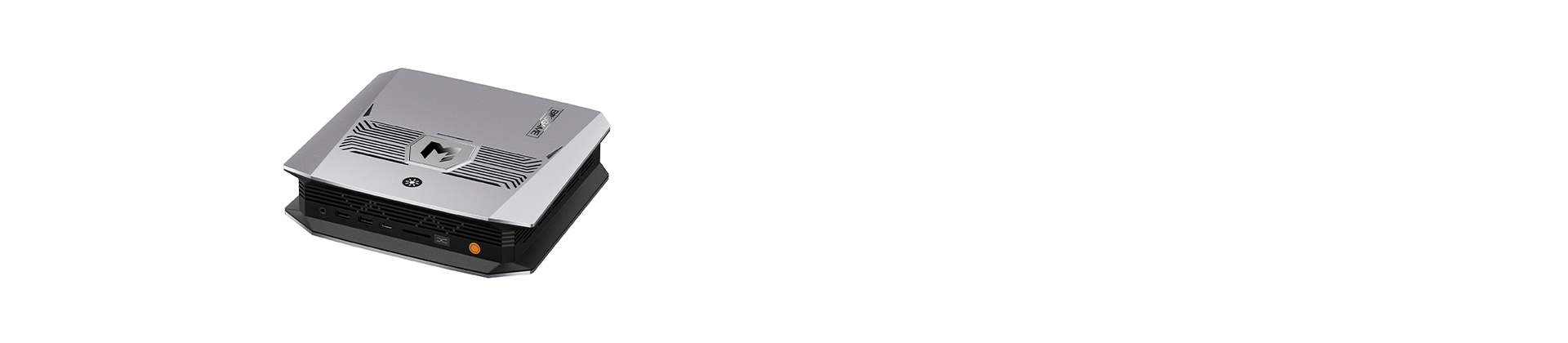


Running AI locally is becoming more practical as mini PCs gain more powerful processors, graphics, and memory. Instead of relying entirely on cloud services, you can run AI models and keep your data on your own device. An AI mini PC makes this possible in a compact desktop form, but not every model is equipped for demanding AI workloads. If you’re looking for the best mini PC for AI, this guide explains what matters most and how to choose the right hardware for the models you want to run.
What Is an AI Mini PC?
An AI mini PC is a compact desktop that can run AI workloads, such as large language model inference, image generation, and speech recognition, directly on the device rather than in the cloud. Three components share the work. The CPU handles general tasks and coordinates the rest of the system. The GPU, built for parallel processing, often does the heavy lifting for demanding AI models. The NPU (neural processing unit) is a dedicated chip designed to run certain AI tasks efficiently at low power. Together, they shape how smoothly a mini PC handles AI.
What to Look for in the Best Mini PC for AI?
Not every mini PC handles AI equally well. Specs that matter little for office work, such as memory capacity and bandwidth, can decide whether a model runs smoothly or barely runs at all. When choosing a mini PC for AI, these five factors are worth checking before you buy, starting with the one that usually matters most.
Memory (RAM and Unified Memory)
Memory is often the first limit you hit when running AI locally, because a model generally needs to fit into it to run well. When comparing the best mini PC for AI, look at two things: capacity and architecture. For capacity, 16GB suits smaller models, while 32GB or more leaves room for larger ones. For architecture, unified memory lets the CPU and GPU share one pool, so more of it can be used for AI.
Processor and NPU
A mini PC for AI workloads typically combines a CPU, a GPU, and often an NPU. The NPU is built to run certain AI tasks efficiently at low power, while the GPU is usually better suited to heavier jobs such as running larger language models. Software support also varies, since not every AI application makes use of the NPU, so check what your preferred tools actually take advantage of.
Memory Bandwidth and GPU Memory
Two machines with the same amount of memory can perform differently. Memory bandwidth, meaning how quickly data moves between memory and the processor, strongly influences how fast a model generates responses. Faster memory and a capable GPU generally help. If a spec sheet lists bandwidth or dedicated video memory, treat it as a useful signal beyond capacity alone.
Storage
AI models are large files, and a single one can take up anywhere from a few gigabytes to over 60GB. Trying several fills a smaller drive quickly, so 1TB or 2TB is a sensible starting point. Capacity is only half the picture. For speed, a fast NVMe SSD is recommended, as it helps models load sooner. An accessible M.2 slot is also worth checking, so you can add capacity later without replacing the whole drive.
Cooling and Sustained Performance
AI inference can keep a processor under heavy load for long stretches, so cooling matters more in a compact mini PC for AI than in a typical office machine. The cooling design affects whether performance stays steady or drops as temperatures rise. Please look for specs or reviews that describe sustained performance rather than only peak numbers.
Best Mini PCs for AI from BOSGAME
Choosing a mini PC for AI depends mainly on the size of the models you plan to run locally. The two BOSGAME options below sit at different points in that range: one for running mid-size models, the other for running large models with plenty of memory.
BOSGAME VTA-439: Best for Running Mid-size models Locally
The VTA-439 pairs an AMD Ryzen AI 9 HX 470 processor with Radeon 890M graphics and a dedicated NPU, for a combined 86 TOPS of AI compute, 55 of them from the NPU. It can smoothly run mid-size models of around 14B parameters locally. Three M.2 NVMe slots leave room for model files, and an Oculink port allows external graphics expansion later.
BOSGAME M5: Best for Running Larger Models Locally
The M5 is built around the AMD Ryzen AI Max+ 395, with 16 cores, Radeon 8060S graphics, and a 50 TOPS NPU, for 126 TOPS of total compute. Its up to 128GB of LPDDR5X memory is shared dynamically with the GPU, which allows it to run large models of up to around 120B parameters locally. It's aimed at developers and creators who want to run large models on their own desk.
Conclusion
More and more people are choosing to run AI models locally, and it’s easy to see why. Your data stays on your own device, there are no per-use fees, and you’re free to experiment at your own pace. For many users, a mini PC for AI offers a practical way to bring local AI capabilities to the desktop. Explore BOSGAME and find the model that fits your next project.