



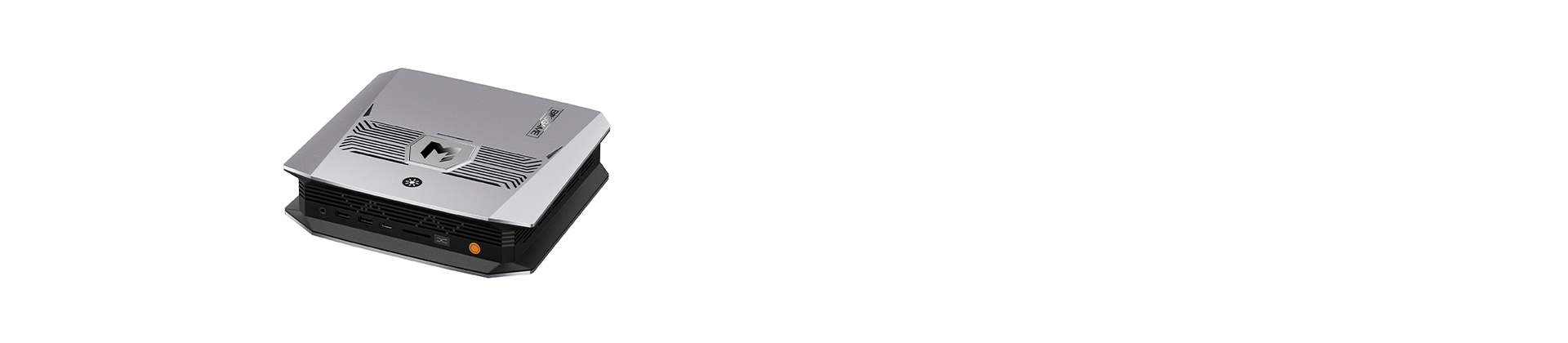


Can a mini PC handle emulation? Absolutely. A mini PC can be a practical choice for building a compact retro gaming setup. It takes up little space, can offer relatively low power consumption, and supports a range of emulators through compatible operating systems. However, not every model can handle every gaming system equally well. This guide explains which specifications matter when choosing a mini PC for emulation.
Why Choose a Mini PC for Emulation?
A mini PC is a practical way to build a retro gaming setup without investing in a bulky desktop. It combines compact hardware with the flexibility of a full computer, making it suitable for playing classic console games and exploring different emulation platforms. Here are the main reasons to consider a mini PC for emulation.
Compact and Easy to Place
A mini PC is often small enough to fit on a shelf, under a TV, or behind a monitor. This makes it easy to build a dedicated gaming setup in a living room, bedroom, or small apartment without taking up much space. Its lightweight design also makes it convenient to move between rooms or take to a friend's house.
Low Power Consumption and Quiet Operation
Energy consumption and noise are also reasons why many people choose a mini PC for emulation. Depending on the hardware and workload, a mini PC can offer relatively low power consumption. Furthermore, most models operate very quietly with almost no noise, ensuring you remain undisturbed while gaming.
Flexible Software and Emulator Support
Most mini PCs support Windows or Linux, allowing you to install emulators for different gaming systems. If you want to manage your games in one place, a gaming frontend such as LaunchBox can organize your collection and launch games through the appropriate emulator.
Expandable Storage for Growing Game Libraries
As your game collection grows, storage can become an important consideration. Many mini PCs support SSD upgrades or additional storage drives, allowing you to expand capacity for game files, save data, and media. Check the available M.2 slots, drive compatibility, and upgrade options before choosing a model.
What to Look for in a Mini PC for Emulation?
Different gaming systems place different demands on your hardware. Choosing the right mini PC for emulation depends on many factors. Understanding these key specifications will help you find a mini PC that matches your gaming needs.
CPU
Emulation often relies heavily on CPU performance, particularly single-core speed, because some emulators depend on a limited number of threads to reproduce console hardware behavior. A processor with strong single-core performance can help improve frame rates and reduce slowdowns in demanding games.
Graphics
The integrated GPU affects how well a mini PC handles graphics rendering, higher resolutions, and demanding emulators. Older consoles generally require less graphics power, while newer systems may need a more capable GPU. Check the emulator's hardware requirements and your target consoles before deciding which model to buy.
RAM
Memory capacity and bandwidth can both affect performance of a mini PC for emulation. Dual-channel RAM provides greater memory bandwidth than single-channel memory in supported configurations, which can benefit integrated graphics that share system memory. An 8GB system may be sufficient for many older consoles, while 16GB or more provides more flexibility for demanding emulators and multitasking.
Storage
Your storage needs depend on how many games you plan to keep installed and which systems you want to emulate. Older games typically use less space, while some newer game libraries can require considerably more. What’s more, an NVMe SSD can help reduce loading times, but storage capacity and upgrade options may matter more for many emulation setups. Check the available storage, M.2 slots, and supported drive sizes before buying.
Ports and Connectivity
Look for USB ports for wired controllers and accessories, plus HDMI or DisplayPort for connecting a monitor or TV. Bluetooth is useful for wireless controllers, while Wi-Fi supports downloads, updates, and online features where available. Furthermore, Check the supported display resolution and refresh rate to ensure they match your TV or monitor.
Recommanded mini PCs for emulation
Not every emulation setup needs high-end hardware. What you need depends on the consoles you want to play. Here is a rough guide to the hardware and recommanded mini PCs for emulation from BOSGAME.
.
Light: NES, SNES, Game Boy Advance, Sega Genesis
These 8-bit and 16-bit systems demand very little. An entry-level processor such as the Intel N100 or N5095 is more than enough.
Recommended models: BOSGAME E4 3550H, BOSGAME E5 5300U
Mid: PSP, Dreamcast, Nintendo 64
These systems need more CPU power. A processor in the AMD Ryzen 5 or Intel Core i5 class is a safer starting point. Integrated graphics is rarely the bottleneck at this level.
Recommended model: BOSGAME P3 Mix 7640HS
Heavy: PS2, Wii, GameCube
Single-core performance matters a lot here. Look for an AMD Ryzen 7 or Intel Core Ultra 5 or better, paired with 16GB of dual-channel memory. Without dual-channel memory, integrated graphics performance can drop noticeably.
Recommended models: BOSGAME P5 Pro 6800H, BOSGAME P6 Neo 6800H
Flagship: PS3, Switch, Xbox
These systems call for strong integrated graphics, such as the AMD Ryzen AI 9 HX 370 with Radeon 890M, or an Intel Core Ultra 9 with Arc graphics. Machines in this class can run many 3D games smoothly, though results vary by game and emulator.
Recommended models: BOSGAME VTA-439 HX 470, BOSGAME M6 HX 370
Conclusion
More and more people are choosing a mini PC for emulation, and it’s easy to see why. What once took a shelf of old consoles and tangled cables now fits in one small device. It can bring classic games from many systems together in one place, with the freedom to save and resume anytime. So if you want to enjoy retro games, a mini PC for emulation is a great place to start.