



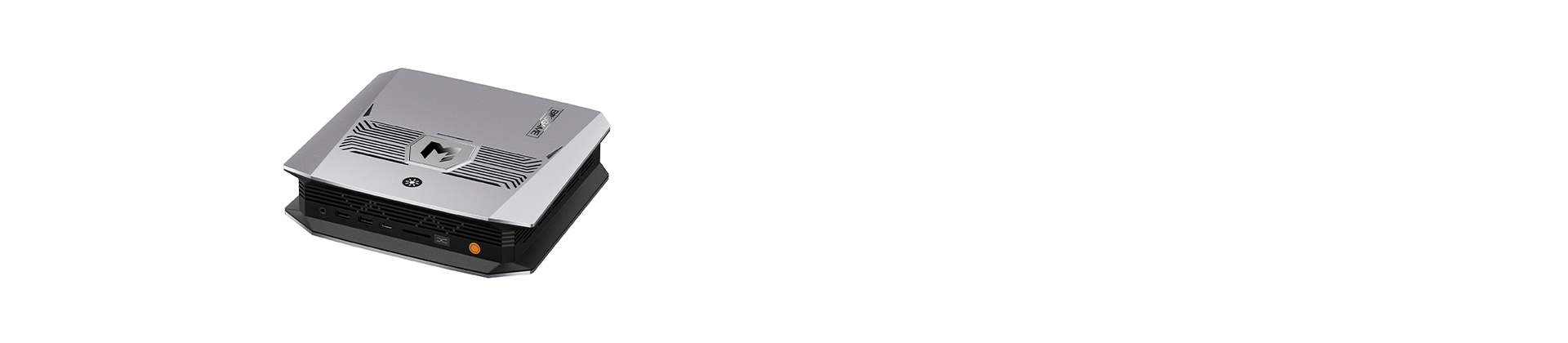


A mini PC can easily connect to a TV through an HDMI cable, turning your television into a larger display for more than just watching shows. With a mini PC for TV, you can stream movies, browse the web, play local media files, and even handle everyday computing tasks on the big screen. Its compact size, flexible connectivity, and desktop functionality make it a practical choice for home entertainment and everyday use.
Mini PC for TV vs.Traditional TV box
A traditional TV box is primarily designed for streaming media, offering access to video apps and basic entertainment features. A mini PC for TV, however, provides much more flexibility by combining a full desktop computing experience with your television. Here are three reasons why it can be a better choice.
More Powerful Hardware for Versatile Use
Mini PCs generally offer more powerful processors, memory, and graphics capabilities than basic TV boxes. This allows them to handle more than video streaming, including web browsing, multitasking, office applications, and some PC games. You can enjoy entertainment while having access to a wider range of desktop software.
More Flexible Storage Options
Traditional TV boxes often come with limited built-in storage, which can restrict the number of apps and media files you can keep locally. A mini PC offers more storage flexibility, with different SSD capacities available depending on the model. You can also connect external USB drives to store movies, videos, and other large files. This makes it easier to build and manage your own local media library without relying entirely on cloud or streaming services.
Greater Upgrade and Expansion Potential
Unlike many traditional TV boxes with fixed hardware configurations, some mini PCs allow users to upgrade RAM and storage as their needs change. Certain models also feature OCuLink or other compatible expansion interfaces, allowing users to connect an external GPU for additional graphics performance. What’s more, multiple USB ports and other connectivity options make it easy to connect external drives, keyboards, mice, and other peripherals. This flexibility helps extend the device's usefulness beyond basic home entertainment.
How to Choose the Best Mini PC for TV?
Choosing the right mini PC for TV depends on your display requirements, performance needs, and connectivity options. Before buying, consider these five factors to find a model that fits your home entertainment setup.
Check Display Output and Resolution
Check the available video output ports, especially HDMI. Make sure the mini PC supports your TV's resolution and refresh rate. For a 4K TV, look for a model that supports 4K output at 60Hz or higher, depending on your viewing needs. If the mini PC cannot support your TV's native resolution, images may appear less sharp, with reduced detail and clarity.
Choose a Suitable Processor
The processor affects how smoothly your mini PC handles different tasks. For streaming videos, browsing the web, and basic entertainment, an entry-level processor may be sufficient. If you frequently multitask, watch high-resolution live streams, or run PC games on your TV, consider a more capable processor.
Check RAM Capacity
RAM affects how smoothly a mini PC handles multiple tasks at the same time. For basic TV use, such as streaming videos and browsing the web, 16GB of RAM may be sufficient. If you often switch between apps, keep multiple browser tabs open, or use your mini PC for TV alongside everyday computing, 32GB is a more practical choice. For heavier multitasking or more demanding applications, consider 64GB and more. Also, check whether the RAM is upgradeable if you want more flexibility in the future.
Consider Storage Capacity
Storage capacity determines how many apps, movies, and videos you can keep on your mini PC. For a mini PC for TV, a 256GB SSD is suitable for basic streaming and everyday use, while a 512GB SSD offers more room for apps and local media files. If you plan to build a large movie library or store high-resolution videos, consider a 1TB SSD or a model with additional M.2 slots for future storage expansion.
Look at Network Connectivity
When choosing a mini PC for TV, look for a model with reliable Wi-Fi connectivity, preferably dual-band Wi-Fi or a newer standard such as Wi-Fi 6. A strong wireless connection makes it easier to stream movies, watch live broadcasts, and access online content without frequent buffering. For an even more stable connection, especially when streaming 4K videos, consider a mini PC with an Ethernet port so you can connect directly to your router.
How to Connect a Mini PC to Your TV?
Connecting a mini PC to your TV is straightforward and usually takes just a few minutes. Follow these steps to get your home entertainment setup ready.
1.Connect via HDMI
First, connect the mini PC to your TV using an HDMI cable. Plug one end into the mini PC and the other into an available HDMI port on your TV. Turn on both devices, then use your TV remote to select the corresponding HDMI input source.
2.Set Up Audio and Display Settings
Once connected, open Windows display settings to select the appropriate screen resolution and refresh rate. Then, head over to the sound settings and make sure your TV is selected as the audio output so the sound plays through your TV speakers instead of the mini PC.
3.Connect a Keyboard, Mouse, and Network
Connect a wireless or wired keyboard and mouse to control your mini PC from the couch. Next, connect to your home Wi-Fi network or use an Ethernet cable for a more stable internet connection. Your mini PC for TV is now ready for streaming, browsing, and other entertainment activities.
Conclusion
A mini PC can bring more possibilities to your home entertainment setup, turning your TV into more than just a screen for watching content. From streaming and gaming to browsing and managing local media, it offers the flexibility to adapt to different needs. With the right mini PC for TV, your living room can become a more versatile space for both entertainment and everyday computing.