



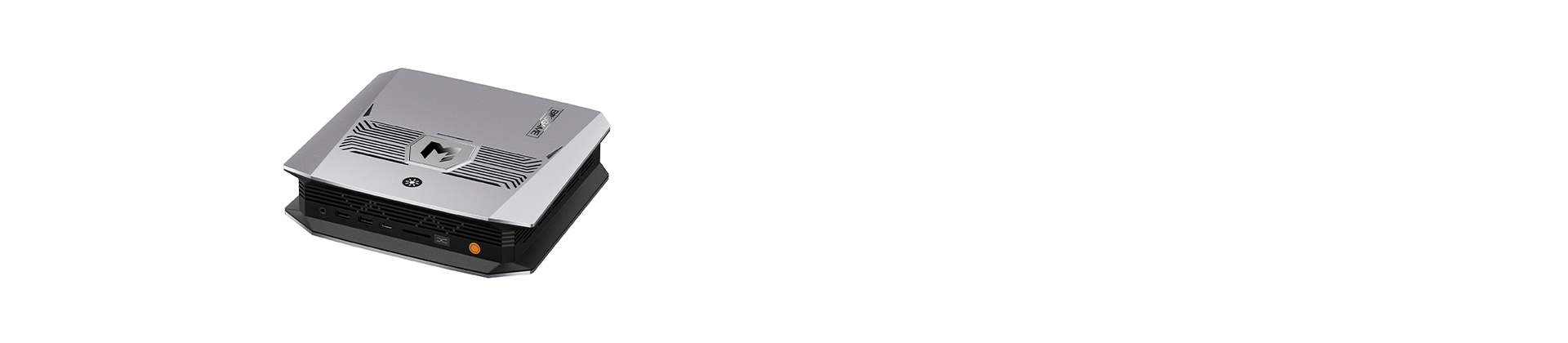


Choosing between a Mini PC and a laptop can be challenging, especially when both can handle everyday computing, office work, and demanding applications. The right choice ultimately depends on how and where you plan to use your computer. In this guide, we’ll compare a mini PC vs a laptop across several key factors to help you make an informed decision.
Mini PC vs Laptop: Upgradability
Most mini PCs are built with standard SO-DIMM RAM slots and M.2 slots for storage, so the case can be opened and components swapped or added even after purchase. If your workload grows or you simply need more memory down the line, you can upgrade the RAM or add a second SSD instead of replacing the entire machine.
Laptops, especially thin-and-light models, are designed differently. To save internal space, many manufacturers solder RAM directly onto the motherboard, which means it cannot be upgraded after purchase — your upgrade options may be limited.
Mini PC vs Laptop: Thermal Performance & Sustained Speed
A computer's cooling system is only as good as the space it has to work with. Inside a laptop, every component is squeezed into a chassis just a few millimeters thick, leaving little room for a large heatsink or a high-airflow fan. When the CPU is pushed hard for an extended period — rendering a video, compiling code, running multiple demanding apps at once — heat builds up faster than the thin chassis can dissipate it.
A mini PC doesn't face the same constraint. Its case has noticeably more internal volume than a laptop's, which allows for a larger heatsink, more airflow, and better-positioned exhaust. Consequently, mini PCs deliver superior cooling performance, which enables the CPU to maintain higher operating frequencies for longer periods under sustained heavy loads.
Mini PC vs Laptop: Ports & Connectivity
Mini PCs often provide a wider selection of physical ports than laptops, giving users more flexibility when connecting external devices. Depending on the model, a mini PC may include multiple USB-A and USB-C ports, HDMI, DisplayPort, Ethernet, and other connectivity options. This makes it easier to connect keyboards, mice, external SSDs, printers, network devices, and other peripherals directly to the computer.
Laptops generally have fewer physical ports because manufacturers need to keep the chassis compact. For a fixed desktop setup, a mini PC can therefore provide more convenient and flexible connectivity with fewer additional accessories.
Mini PC vs Laptop: Multi-Monitor Setups
Nowadays, many business professionals rely on multiple displays to improve productivity. A multi-monitor setup allows users to keep several applications, documents, or workflows visible at the same time, reducing the need to constantly switch between windows.
However, many laptops offer only one or two video-output-capable ports in total, which means connecting several external monitors usually requires a docking station or USB-C hub to split the signal. That extra hardware adds cost, and it can introduce its own limitations — some hubs can't push more than one display at full resolution or refresh rate at a time.
By comparison, mini PCs typically feature multiple video output ports. Many models support two, three, or even more displays, allowing users to expand their workspace across multiple monitors. Plus, it usually requires nothing more than plugging each one directly in—no hubs or docking stations needed.
Mini PC vs Laptop: Portability
Laptops have a clear advantage when it comes to portability. With a built-in display, keyboard, touchpad, and battery, a laptop can be used almost anywhere without requiring additional peripherals. However, mini PCs typically require a separate monitor, keyboard, mouse, and power adapter, which makes them less convenient for mobile use. For users who frequently work or travel on the go, a laptop is generally the more practical choice, while a mini PC is better suited to a fixed desktop setup.
Conclusion
Ultimately, the choice between a Mini PC and a laptop depends on your priorities and how you plan to use your computer. Laptops remain a practical choice for users who value portability and an all-in-one design, while Mini PCs can offer greater flexibility for upgrades, cooling, connectivity, and multi-monitor setups. For users who primarily work at a fixed desk and want a compact computer, a mini PC can be a compelling alternative. Explore BOSGAME mini PCs to find a configuration that fits your needs.