



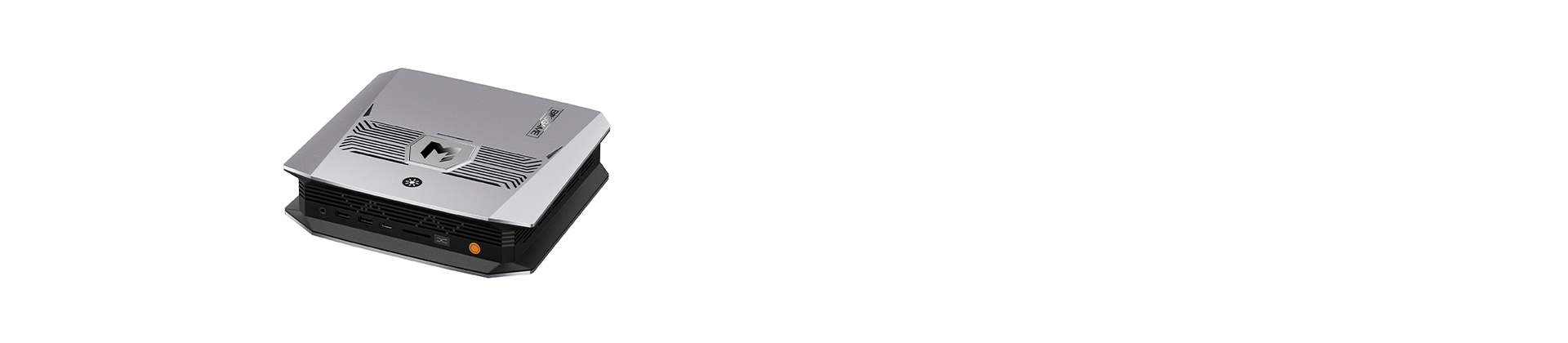


Watching movies and shows online is now a daily habit for many households. A mini PC for streaming is a space-saving alternative to a full-size desktop, handling online video playback and local media libraries without crowding your desk. Here’s a closer look at how it works and how to pick one.
Why Use a Mini PC for Streaming?
Unlike a smart TV or a dedicated streaming stick, a mini PC lets you control more of the software and system settings. You pick the apps and media players you prefer, organize your own files, and work in a familiar desktop operating system. That makes it a strong fit for anyone who wants greater command over their home entertainment setup.
More Performance, Fewer Limits
Because a mini PC runs a desktop operating system, you can use compatible streaming apps, web browsers, and media players on it. The same device can also surf the web, manage files, and take care of daily tasks, so it’s useful for far more than movies and shows.
Compact, Quiet, and Efficient
A mini PC needs very little room and fits on a shelf or next to your TV. Many models draw modest power under light workloads and stay quiet during normal use, which makes them comfortable for long viewing sessions in a living room or bedroom.
What Can You Do with a Streaming Mini PC?
A streaming mini PC is capable of much more than playing online video. These are the most common ways people put one to work.
Stream Netflix, YouTube, and Disney+ in 4K
A mini PC can turn your TV into a versatile streaming hub, with services like Netflix, YouTube, Disney+, and Prime Video available through apps or browsers. It can deliver smooth 4K playback as long as it supports the needed video formats, has compatible display outputs, and works with the services you use.
Build a Home Media Server with Plex or Jellyfin
A mini PC runs a full operating system, so it can double as a personal media server. Set up Plex or Jellyfin, load your movies and photos, and stream them to the living room TV, a tablet, or a phone anywhere in your home. If your library is large, connect an external drive or choose a bigger SSD.
Create a Home Theater Setup
Add a wireless keyboard, a soundbar, and a remote that suits streaming, and your mini PC for streaming turns into the core of a compact home theater. When you want more than movies, it also works as a web browser, game launcher, or video call device.
How to Choose the Best Mini PC for Streaming?
Mini PCs aren’t all equally good at streaming. Whether it’s headed for your living room or home office, weigh these four factors first to make sure it covers your playback, connectivity, and storage needs.
Video Decoding and Graphics
For smooth 4K playback, pick a mini PC with hardware decoding for popular video formats like H.264, HEVC (H.265), and AV1. With hardware decoding, the integrated graphics or a dedicated media engine takes over video playback, which lowers CPU usage and power draw. Integrated graphics are enough for most streaming setups, so a dedicated GPU is typically not required.
Ports (HDMI / DisplayPort)
Confirm that the HDMI or DisplayPort output can handle your TV’s resolution and refresh rate, for example 4K at 60Hz. If HDR content matters to you, verify that both the video output and your display support the HDR standards you need.
Wi-Fi and Ethernet
Smooth 4K streaming depends on a steady connection with enough bandwidth. When the router sits close to your TV, Ethernet is a dependable choice over wireless. For Wi-Fi, Wi-Fi 6 or Wi-Fi 7 offers plenty of capacity for streaming, but real-world results still hinge on your router, signal strength, and home network conditions. Review your network as well as the mini PC’s connectivity options before you decide.
RAM and Storage
When picking a good mini PC for streaming, memory and storage deserve a look too. Storage matters little for pure online streaming, but it becomes important if you keep movies on the device or use it as a Plex or Jellyfin media server. Go for an SSD with enough room for your files, and check for extra storage expansion if you expect your library to grow.
Best BOSGAME Mini PCs for Streaming
Every household streams in its own way. Some just want a quiet box for Netflix and YouTube on the living room TV, while others also want to host a growing movie collection. The two BOSGAME models below cover both situations.
BOSGAME E6 ECO: Best for Quiet, Low-Power Everyday Streaming
If your main goal is a mini PC for streaming Netflix, YouTube, and other services on the living room TV, the E6 ECO is the budget-friendly choice. Its low power Intel Core 3 304 processor handles daily playback smoothly, and it comes with 12GB of LPDDR5X memory, a 512GB SSD, and a spare M.2 slot for adding storage. HDMI, DisplayPort, and USB-C can drive up to three 4K 60Hz displays, while Wi-Fi 7 and dual Gigabit Ethernet give you flexible wired and wireless options.
BOSGAME P4 Ultra: Best for Plex and a Home Media Library
For a mini PC for streaming that can also host your own media server, the P4 Ultra is a solid pick. Its AMD Ryzen 7 7730U (8 cores, 16 threads) multitasks with ease, and the 16GB of DDR4 memory can be upgraded to 64GB. The 1TB NVMe SSD includes a spare M.2 slot that lets you expand storage up to 16TB, a good match for a growing movie library. Dual 2.5G Ethernet ports and WiFi 6E keep 4K streams steady, and the system can power up to three 4K 60Hz displays.
Conclusion
The best mini PC for streaming is the one that suits your living room, not necessarily the one with the most impressive specs. For Netflix and YouTube viewing, a quiet, low-power model is plenty. If you plan to build a Plex library, more memory and storage will matter more as time goes on. Explore our full lineup of BOSGAME mini PCs and find the right fit for your setup.