




What Is a Mini PC NAS?
A NAS (Network Attached Storage) is a storage device connected to a network, allowing multiple devices to access shared files, back up data, and store photos, videos, and documents in one place. A mini PC for NAS uses a compact computer as the hardware foundation for a personal network storage system. By connecting compatible storage drives and installing NAS software, users can turn a mini PC into a central hub for file sharing and data management, with the flexibility to run additional applications depending on the hardware and software configuration.
Why Choose a Mini PC for NAS Instead of a Traditional NAS?
A traditional NAS is designed specifically for network storage, while a mini PC offers more flexibility for building a custom storage system. Here is how the two options compare in performance, size and operating system flexibility.
Mini PC NAS vs. traditional NAS: Performance
Unlike storage-focused NAS models, a mini PC for NAS can offer more than basic file storage. With a capable processor and sufficient memory, it can also run media servers, Docker containers, and virtual machines. This allows users to combine network storage with other home server applications on a single device, rather than relying on separate hardware for each task.
Mini PC NAS vs. traditional NAS: Size
A mini PC can be smaller than a multi-bay NAS enclosure, making it easier to fit into a compact workspace or home lab. For users who do not need several internal drive bays, a mini PC for NAS paired with external storage can provide a less bulky setup. The trade-off is that multiple internal drives may require a separate enclosure.
Mini PC NAS vs. traditional NAS: Operating System Flexibility
Many traditional NAS devices use a vendor-specific operating system, which can simplify setup but limit some customization options. A mini PC generally gives users more freedom to install compatible platforms such as TrueNAS or OpenMediaVault, or use a general-purpose operating system. This flexibility is especially valuable for users who want to experiment with different server applications.
How to Choose a Mini PC for NAS?
If you’re shopping for a mini PC for NAS use, a few specs matter more than the rest. Next, let's learn them in detail.
Storage Capacity and Expansion Options
Start by checking how many M.2 slots the mini PC has, and whether it also supports SATA SSDs or 2.5-inch and 3.5-inch drives. Internal space is limited on most compact machines, so if you need more room, an external USB drive enclosure is a common way to expand. Some NAS software handles USB-connected drives less reliably than internal ones, so check your chosen system’s documentation first. Plan your capacity around your files, photos, videos, and backups, and leave room to grow.
CPU and RAM Requirements
Basic file sharing, home backups, and media storage don’t demand much processing power, so a mini PC for NAS duty rarely needs a top-tier processor. If you also plan to transcode video, run Docker containers, or host virtual machines, you will want a stronger CPU and more memory. If you are considering TrueNAS or ZFS, look up the software’s own memory guidance and plan around it, rather than applying one minimum to every NAS setup.
Network Connectivity and Transfer Speeds
When comparing each mini PC for NAS use, look at the network ports as closely as the storage and processor. Gigabit Ethernet is enough for many basic home storage needs. A 2.5GbE or faster port can speed up file transfers, but only if the rest of the chain supports it, including your router or switch, your cables, and the device you are transferring to. Dual Ethernet ports can help with some advanced network setups, but they are not required to build a NAS.
Recommended Mini PCs for NAS from BOSGAME
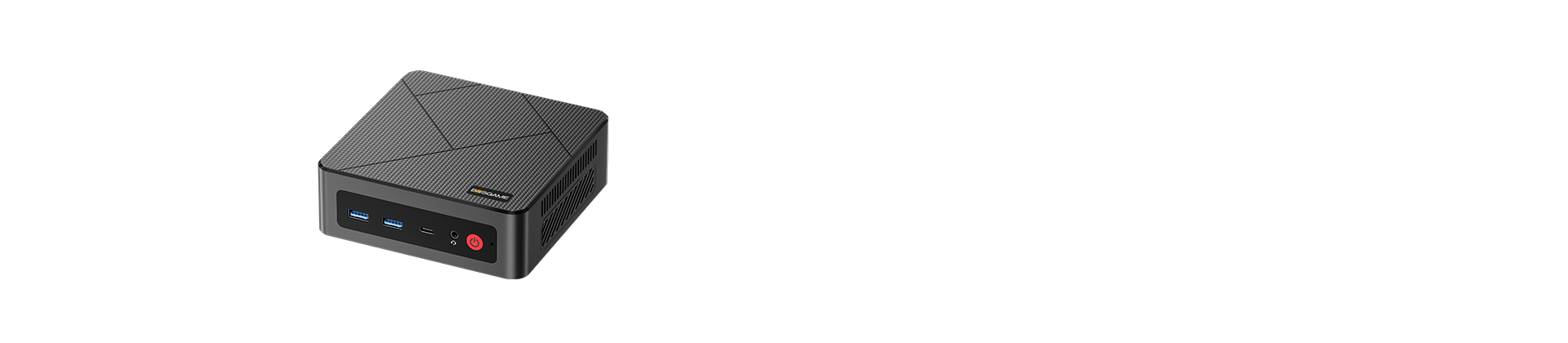
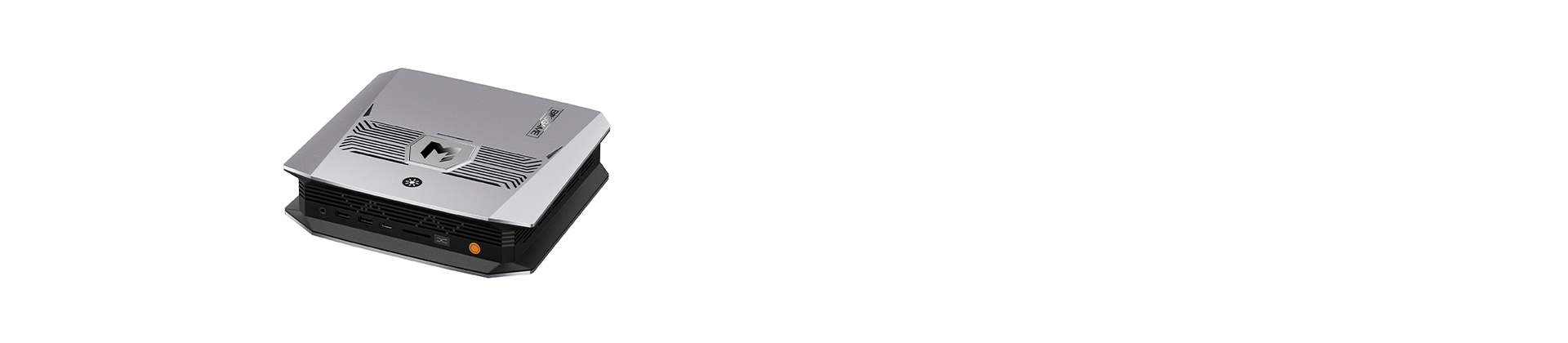
If you’re building a mini PC for NAS, the BOSGAME P4 Ultra and P3 Plus are worth considering. Both feature dual Ethernet ports, expandable memory, and an additional M.2 slot, giving users room to configure storage and run other home server applications. The best fit depends on your preferred network speed, workload, and upgrade plans.
BOSGAME P4 Ultra 7730U
Powered by an AMD Ryzen 7 7730U processor, the BOSGAME P4 Ultra features dual 2.5GbE LAN ports for high-speed wired networking when the rest of your network supports it. Its 16GB DDR4 3200MHz memory can be upgraded to 64GB through two SO-DIMM slots. It also comes with a 1TB PCIe 3.0 NVMe SSD and an additional M.2 expansion slot. This combination makes it a flexible option for users who want to combine network storage with other home server tasks.
BOSGAME P3 Plus 7840HS
The BOSGAME P3 Plus is powered by an AMD Ryzen 7 7840HS processor and comes with 16GB of DDR5 memory and a 1TB PCIe 4.0 NVMe SSD. Memory can be upgraded to 64GB, and an additional M.2 slot provides room for storage expansion. With dual Gigabit Ethernet ports, Wi-Fi 6E, and Bluetooth 5.2, it offers a range of connectivity options for a home server setup. It is worth considering if you want a mini PC that can handle NAS duties alongside other computing workloads.
Conclusion
A NAS is more than a place to park files. It is a decision about where your memories, work, and backups live, and who controls them. Building one on a mini PC keeps that decision in your hands, and lets the system grow alongside your needs, from a simple backup box today to a media server or home lab tomorrow. So, try to build a NAS with a mini PC.