



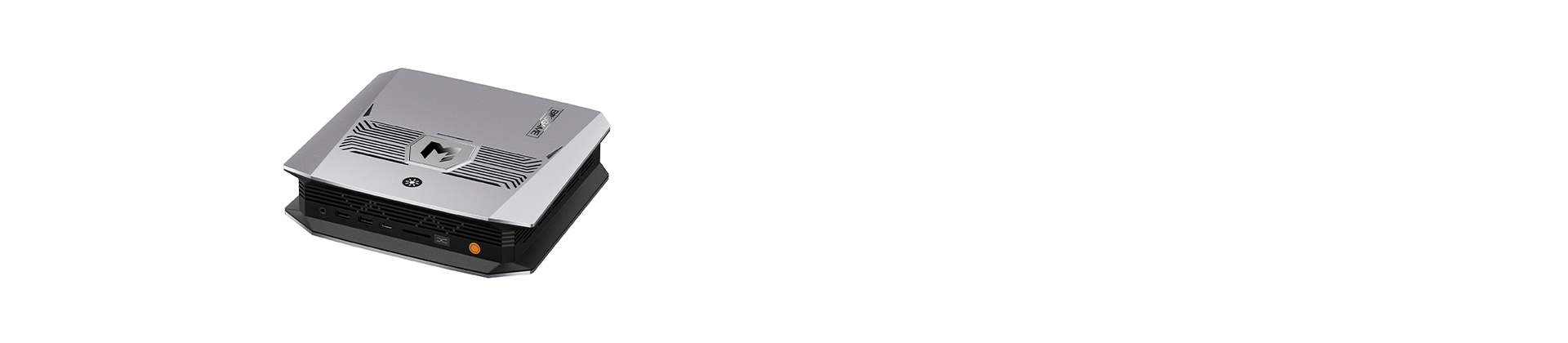


A personal media server doesn’t need a big, loud tower. A mini PC for Plex server is a small, power-saving way to turn your movies, shows, and music into a private streaming library that you can reach from any compatible device, whether you’re at home or away. In this article, we cover what a Plex mini PC can do, which hardware factors deserve the most attention, and which BOSGAME models fit a personal media server.
What Can a Mini PC for Plex Server Do?
A mini PC for Plex server does far more than hold video files. It organizes your personal collection, delivers content to compatible devices, and opens your library to access beyond your home network. How much it can do depends on your hardware, your network conditions, and the way you configure Plex.
Organize Your Personal Media Library
With Plex Media Server running on a mini PC, your movies, TV shows, music, and photos can be arranged into a library that is easy to browse. Everything stays in one place, and Plex fetches metadata like posters, descriptions, and episode details for you. Large collections become simpler to browse and manage, and you don’t need separate devices for each type of media.
Handle Multiple Streams and Transcoding
Depending on its processing power and network capacity, a mini PC can send different media to several users or devices at once. Plex Direct Play delivers compatible files as they are, without conversion, which lightens the server’s workload. If a playback device can’t handle the original format or resolution, transcoding may be required. A processor with proper hardware-accelerated video support helps a mini PC for Plex perform these jobs more efficiently.
Enable Remote Media Access
Once Plex’s remote access is set up correctly, you can reach your media library from compatible devices outside your home network. You can watch your own movies or shows while traveling, with no need to copy files to each device by hand. Remote playback relies on your internet upload speed, server performance, network configuration, and any Plex features or subscription requirements that apply.
What to Consider When Choosing a Mini PC for Plex Server?
The right mini PC for Plex server depends on the size of your media library, your desired streaming quality, and how many people will use it. Before you buy, think about transcoding needs, storage capacity, and RAM. Weighing these factors helps you pick a mini PC for Plex that plays smoothly without making you pay for performance you won’t use.
Transcoding Capability
Transcoding means converting a media file into a format or resolution that the playback device supports. When your device can read the original file, Direct Play reduces the processing load on the server. Streaming 4K content to a device that needs a different format or a lower resolution, however, may require transcoding. When selecting a mini PC for Plex, look for suitable video encoding and decoding capabilities, and verify that Plex’s hardware acceleration works with the mini PC’s processor, graphics hardware, and operating system.
Storage
Storage capacity sets how much media you can keep on hand. An SSD offers fast boot times, a responsive system, and quick access to Plex metadata, but big movie and TV collections can fill one up fast. Consider a mini PC for Plex that offers expandable M.2 storage or external USB drive support. Another option is to keep your library on a separate NAS while Plex runs on the mini PC.
RAM
RAM lets Plex run smoothly next to other applications and services. A basic setup with a small library and a few simultaneous streams may be fine with 8GB. If you expect several users or additional services, 16GB gives you more headroom. Also check whether the RAM can be upgraded, so your mini PC for Plex can keep up with future needs.
Best Mini PCs for Plex Server from BOSGAME
Want a mini PC to run your Plex server? Below are two BOSGAME models we recommend, along with their basic specifications.
BOSGAME P6 6900HX
If you need extra processing capacity for a Plex server plus other applications, the BOSGAME P6 offers an AMD Ryzen 9 6900HX processor with 8 cores and 16 threads. It pairs 24GB of LPDDR5 memory with a 1TB PCIe 4.0 NVMe SSD that can be expanded to 4TB. Dual Gigabit Ethernet ports handle wired networking, and Linux compatibility adds flexibility when you set up a home server.
BOSGAME P3 Mix 7640HS
The BOSGAME P3 Mix is driven by the AMD Ryzen 5 7640HS processor, which has 6 cores and 12 threads, and it ships with 32GB of dual-channel DDR5 memory and a 1TB PCIe 4.0 SSD. Two M.2 slots allow storage to grow up to 8TB, so a growing media library is easier to accommodate. Dual 2.5GbE LAN ports also give you flexible wired networking for a home media setup.
Conclusion
Building a media hub around a mini PC for Plex server is a smart way to regain control over your entertainment. Keep every movie, show, and song in a single organized library, stream it to your devices at home, and, once remote access is configured, enjoy it wherever you go. With the right hardware, the system can grow along with your collection. So don’t put it off: pick a mini PC that suits your needs and start building your personal streaming hub today.